

SpARC LEARNING
SpARC makes invisible forces tangible and collaborative with projection mapping.
The learning gap:
The Problem
Spatial Augmented Reality for Collaborative learning (SpARC) is a NSF-funded research project designing software to help architecture students understand structural engineering. These students are visual learners who excel at spatial reasoning but struggle to understand abstract mathematical calculations.
Team
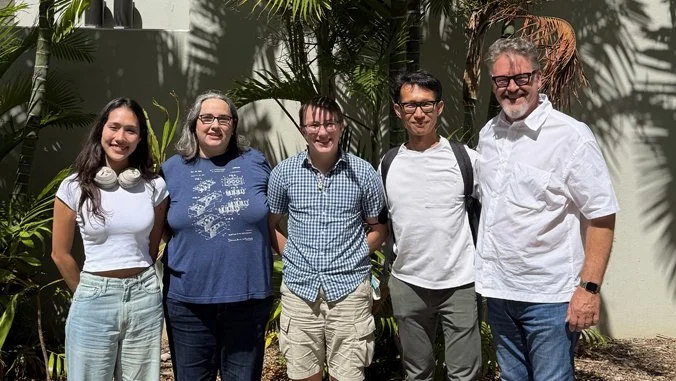
Nurit Kirshenbaum, Lee Friedman, Yasushi Ishida, and Eric Peterson
Students visualize buildings three-dimensionally but can't translate spatial intuitions into mathematical equations
Structural concepts require understanding forces, loads, and equilibrium that are inherently invisible
Studio courses emphasize collaborative learning around physical models; structures courses isolate students with individual problem sets
This pedagogical discontinuity contributes to persistent difficulties in required engineering courses
My Role
CS Graduate Research Assistant - Responsible for research, prototyping, model building, voice recognition pipeline, AI integration, VAD implementation, & UX Design.
Research: Understanding the Disconnect
The problem wasn't that architecture students lacked ability. Research showed they have significantly higher spatial reasoning abilities than students in other disciplines. The issue was pedagogical mismatch.
What we discovered:
Students can intuitively understand how buildings stand but struggle when asked to calculate the forces mathematically
Traditional teaching presents equations on paper separate from physical structures, requiring mental translation between disconnected representational systems
Architecture studio culture emphasizes collaborative learning, but structures courses require isolated problem-solving
Students experience "AI stigma" in classrooms—anxiety and guilt about appearing lazy when using computational tools publicly
Physical Models + Projection + Voice
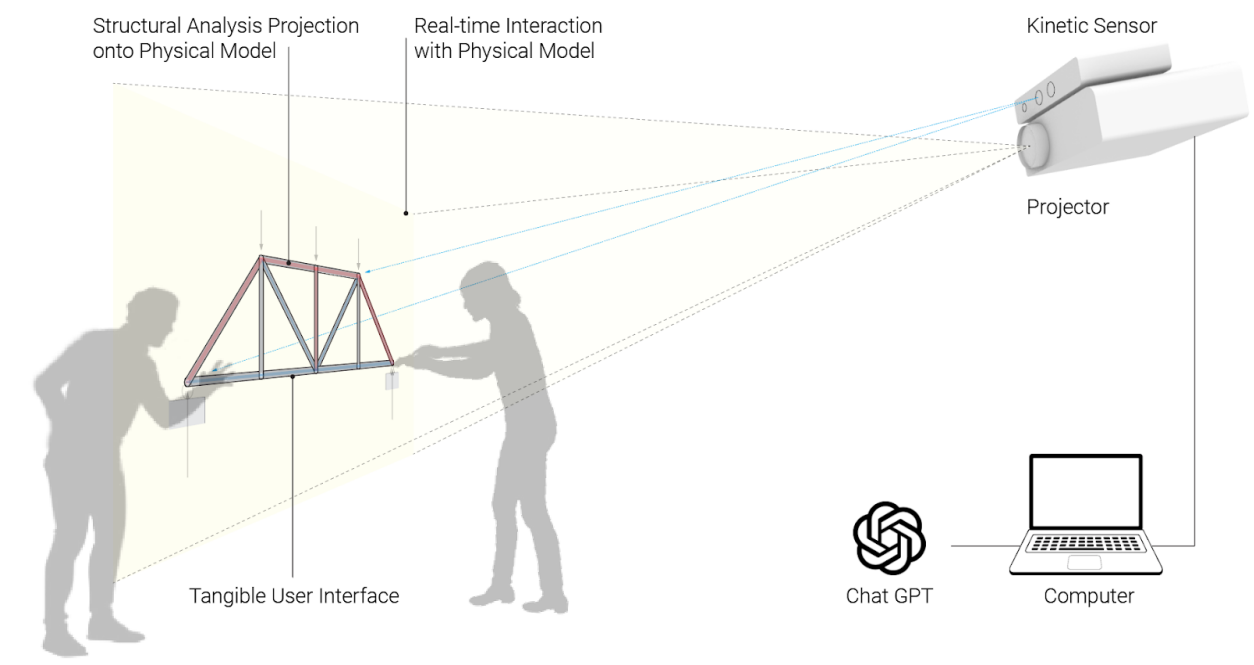
SPARC uses physical models with fiduciary markers and computer vision to capture student interaction. Projection mapping displays real-time structural analysis around and directly onto the models, making invisible forces visible in a shared space.
Tension & Compression Module (Currently Built)
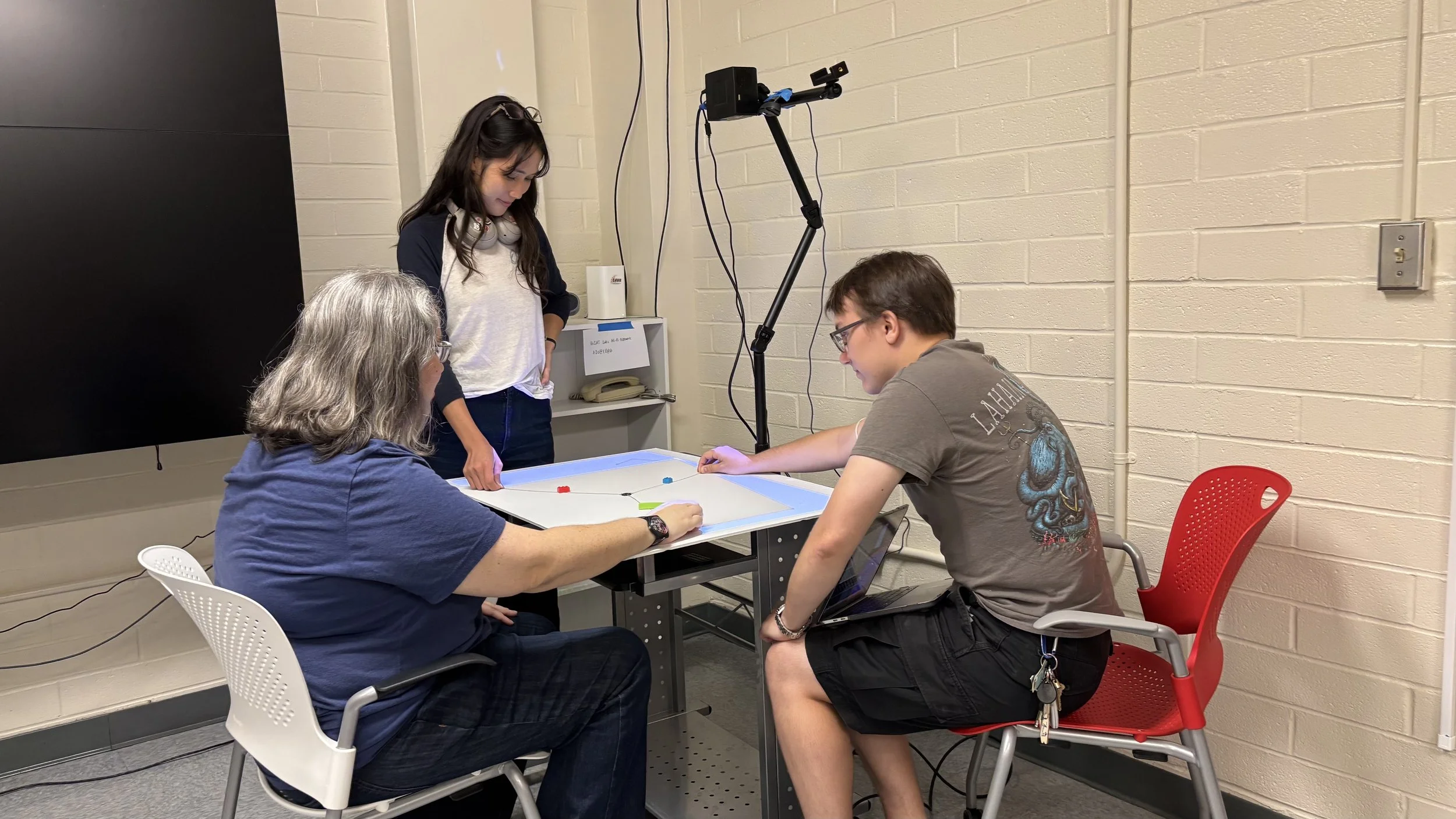
Students work together pulling handles connected to a central middle point with strings. As they pull on the handles the projection shows:
Direction and magnitude of forces (red = compression, blue = tension)
Real-time force diagrams
How their physical actions translate to structural behavior
The physical design creates necessary interdependence because one person physically cannot pull all three handles. This bypasses social hierarchies that typically determine who participates in group work.
Designing a Voice Interface
Wake Word Detection Challenges
After initial testing using only Porcupine, the wake word was being detected 73% of the time. It struggled to detect “Hey Sparc” without a slight pause after beginning the request or if it was buried mid-sentence.
Having to repeat Sparc requests 27% of the time is a large usability issue. My solution uses 3 thread processing with a fallback that parses the speech detected transcripts to look for missed “Hey Sparc” at timed intervals.
Figure 1: Primary wake word architecture utilizing Porcupine
Figure 2: Fallback method using transcript detection
I'm designing the voice user interface that integrates natural language interaction with the physical system. The interface needs to:
Recognize speech commands to switch between modules, show calculations, change projections
Handle natural questions about structural concepts through Gemini NLP integration
Provide sound design that supports learning without distraction
The critical design decision: Originally planned for students to directly query the AI ("Hey SPARC, why did the point move?"). Research on AI stigma in classrooms revealed students experience anxiety using AI publicly—worried about appearing lazy or incompetent.
The solution: Teacher-mediated AI. Professors control voice commands. Students interact with physical models; AI becomes teaching infrastructure rather than competing expertise. This maintains familiar classroom roles where teachers mediate learning, not AI.
Technical Implementation
Wake Word Detection: Porcupine Neural Network trained on “Hey Spark”
Voice Recognition: OpenAI Whisper for speech detection
Natural Language Processing: Gemini handles contextual queries that aren't hardcoded, using prompt engineering to generate contextually relevant responses based on:
Current model state
Learning module objectives
Expected interaction patterns
Scene Identification: Computer vision tracks physical model manipulation and user interactions through depth cameras
Projection Mapping: Real-time overlay of structural analysis visualizations mapped to 3D model geometry
Query Management: Interprets voice commands, analyzes structural models, generates appropriate visualizations
Impact & Next Steps
Spring & Summer 2026 Testing:
First classroom implementation with architecture students
Designing evaluation instruments to measure learning outcomes, engagement, knowledge retention
Testing voice identification accuracy and GUI/VUI integration
Research Questions:
How does tangible interaction in spatial AR environments impact learning of fundamental engineering concepts?
Does collaborative physical manipulation reduce cognitive load compared to individual problem-solving?
Can voice interfaces support self-guided learning without undermining teacher authority?
Currently building:
Sound design elements for voice feedback
LLM training and prompt engineering
Integration testing between physical sensors, projection mapping, and voice recognition
Module expansion to other structure topics (Trusses, Arches, Tributary Areas, ect.)
What I Learned
Social construction matters more than technical capability
The most sophisticated AI becomes useless if students feel too ashamed to use it. Design decisions must account for how communities socially construct technology meanings, not just what technology can technically accomplish.
Material form shapes collaboration
Individual screens isolate learners. Shared screens create control bottlenecks. Projection creates commons where information belongs to communities. Technology choices are inherently social choices about who accesses information and whether learning occurs individually or collectively.
Physical constraints work better than social encouragement
You can't bypass status hierarchies by asking everyone to participate nicely. Physical impossibility forces equitable engagement where social encouragement fails.
Private Repository — code available to reviewers upon request.